
Route Planner, Delivery, MyWay
Proalab LimitedMaps & Navigation
4.872.00 Reviews
- Version
- 1.4.19
- Installs
- 50.00K
- Age Rating
- Everyone
Screenshots
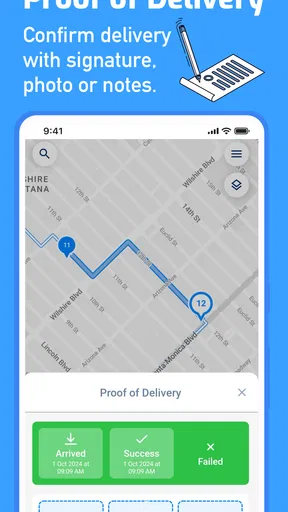
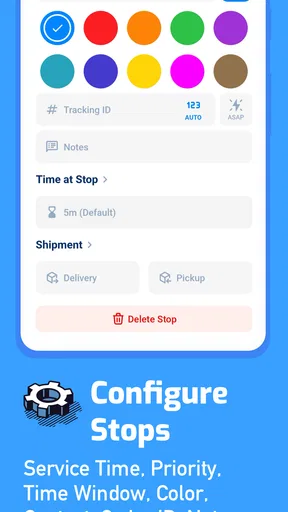
Our Review of Route Planner, Delivery, MyWay
 Analysis by Appyee
Have you ever found yourself juggling multiple delivery routes and wishing for a magical app to make everything seamless? Well, let me introduce you to MyWay Route Planner, a nifty little app designed to ease your delivery woes. As someone who’s always on the move, I decided to take this app for a spin, and let me tell you, it’s been quite the ride.
Planning a route that works in real life
A route planner is most useful when it turns a messy list of addresses into a sensible order, not merely when it draws a line between two places. That is the job I would give MyWay: organize a delivery circuit, then let a dedicated navigation app or the app’s own directions guide the driving. Before setting off, I’d check that every stop is entered correctly and that the starting point reflects where the day actually begins. A misplaced address can undo the benefit of route optimization.
For a small delivery round, I’d group the stops by area before adding them. That makes it easier to spot a stray address on the wrong side of town and gives me a practical way to review the proposed sequence. If a customer has a time-sensitive handoff, I’d treat that stop as a planning constraint rather than blindly accepting the shortest-looking circuit. An efficient route is only useful when it fits the commitments attached to it.
This approach suits couriers with several local drop-offs, tradespeople visiting customers, and anyone combining errands across town. It is less compelling for someone who only needs directions to one destination: a conventional navigation app is usually quicker for that simple task. MyWay is aimed at the extra work of arranging several stops, so its value rises as the route becomes more complicated.
Getting Started with MyWay Route Planner
Diving into MyWay Route Planner was straightforward. The app is available for both Android and iOS, so no matter your device loyalty, you’re covered. Once downloaded, setting up was a breeze. The user interface is sleek and intuitive, guiding you through every step like a friendly GPS voice.
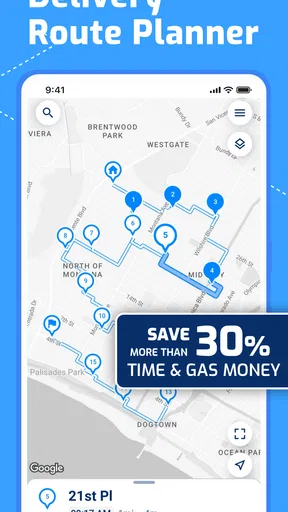
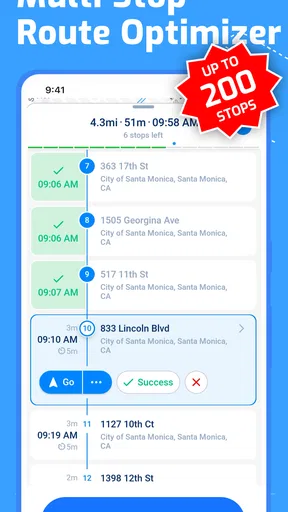
First things first, I entered my starting point and destination. The app promptly suggested the most efficient routes, taking into account current traffic conditions. What stood out to me was the ability to add multiple stops along the way. Whether you’re a delivery driver or planning a day of errands, this feature is a game-changer. No more backtracking or missed stops!
Features That Stand Out
One of the highlights of using MyWay is its real-time traffic updates. I can’t stress enough how important this is, especially on days when time is of the essence. The app recalibrates your route automatically if it detects any delays, ensuring you’re always on the fastest path.
Now, let’s talk about the voice navigation. It’s clear, precise, and doesn’t leave you second-guessing at intersections. Plus, the offline maps feature is a lifesaver when you’re in areas with spotty internet connectivity. No more panicking when the bars disappear!
An unexpected bonus is the integration with popular calendar apps. This means you can import your schedules directly, and MyWay will map out your day in a jiffy. It’s like having a personal assistant in your pocket.
Settings Worth Checking Before You Leave
I’d make route preferences part of the pre-drive check rather than changing them while moving. If avoiding toll roads matters on a particular shift, set that before calculating the route and review the result before accepting it. The same goes for highways: avoiding them may feel calmer or suit a vehicle, but it can add time and turns. A preference is a useful guide, not a guarantee that every alternative will be better.
Calendar imports can help turn appointments into a route outline, but I would still review the stops after importing. A schedule may include calls, breaks, or flexible appointments that should not be treated like fixed delivery addresses. Keeping the route list focused on places that need a visit prevents the plan from becoming cluttered and makes it easier to notice an address that needs correcting.
For areas where connectivity is unreliable, preparing for offline use before leaving is a sensible habit. I would not wait until the phone loses signal to think about maps or route details. Likewise, because navigation can keep the screen and location services active, starting a long shift with a well-charged phone is a practical precaution; I would not assume any navigation app can eliminate battery drain.
Faster Patterns for Repeated Delivery Days
Experienced users can save time by making the planning routine repeatable, even without relying on undocumented shortcuts. I’d enter the day’s starting point first, add all confirmed stops in one pass, then scan the list for duplicates, incomplete addresses, and outliers before asking for an optimized order. This quick audit catches the kind of small input mistake that a clever route cannot fix.
On a busy day, I’d avoid rebuilding the whole plan every time one stop changes. Instead, I would make only the necessary correction, then review the affected sequence and check that the remaining commitments still make sense. If a customer cancels, removing that stop is more useful than leaving it in place and hoping to remember to skip it later. The point is not to chase a theoretically perfect route; it is to keep the route accurate as the work changes.
A realistic example is a courier beginning near a depot with several parcels spread across neighboring districts. I’d enter the confirmed addresses, check that the suggested circuit does not send the driver across the same busy corridor twice, and keep a flexible stop for a nearby collection only if the timing allows it. If traffic changes during the run, the route can be adjusted, but I would still use judgment: a suggested detour may be less suitable if a van has access limits or a delivery window is close.
Personal Experience and Usability
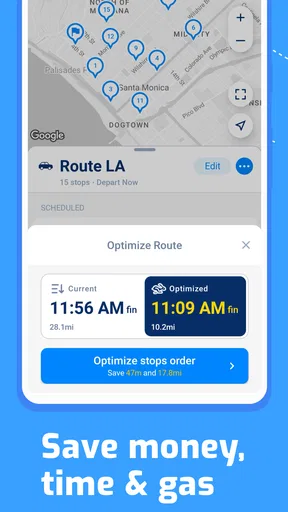
Using MyWay felt like having a trusty co-pilot. On a particularly hectic day, I had to make several deliveries across town. With MyWay, I could optimize my route, save on fuel, and even managed to squeeze in a quick coffee stop without straying off course.
The app’s performance is smooth, with minimal lag, which is crucial when you’re on the clock. Another thing I appreciated was the battery-friendly design. We all know how GPS apps can drain a phone, but MyWay seemed considerate of my phone’s stamina.
For those who love a bit of customization, MyWay doesn’t disappoint. You can tweak settings to match your preferences, such as avoiding toll roads or highways, which is perfect for those who prefer scenic routes.
Where It Fits Among Navigation Options
Compared with opening a standard map app and manually tapping each address, a multi-stop route planner is better suited to creating an ordered delivery circuit. That difference matters when the task is not simply “get me there,” but “help me visit these places without needless zigzags.” A general navigation app can remain useful for checking a single destination or exploring nearby places, while MyWay’s appeal is the planning stage that comes before the first turn.
There is a trade-off: route optimization cannot know every real-world detail that affects a driver’s choice. A familiar loading spot, a customer’s preferred entrance, or a stop that must happen at a particular time may matter more than the route’s suggested order. I’d treat the app as a planning assistant and verify the route against those practical constraints, rather than handing over every decision.
MyWay is also not the right fit for every trip. If you travel mainly by public transport, want a broad travel guide, or need only occasional point-to-point directions, a dedicated transit or general maps app may be simpler. If your work involves a large fleet and specialized dispatch requirements, you may need a more comprehensive logistics system. For an individual driver who wants to organize several stops, though, a focused route planner is a sensible middle ground.
What to Expect Before Making It a Daily Tool
MyWay is free to download, while it also offers in-app purchases priced from $9.99 to $79.99 per item. I’d start with the free experience and decide whether any paid option addresses a real need in my routine before spending money. The app is developed by Proalab Limited, and its 4.7 average comes from around 958 ratings, with 50 reviews. It has passed 50K installs, which gives a prospective user some adoption context without saying whether it will suit a particular route or work pattern.
The app is rated for Everyone, and version 1.4.10 requires Android 8.0 or later. If you use an older Android phone, that requirement is worth checking before planning a workday around it. The app is also available for iOS, but I would check compatibility on the device’s store page rather than assume that every older phone supports the current release.
A common practical question is whether it can handle errands as well as paid deliveries. The multiple-stop planning makes it relevant to both, provided you are willing to enter and review the stops. Another is whether a route remains useful when mobile coverage drops: offline maps are a welcome help, but I would prepare the relevant map information before leaving and avoid treating offline availability as a substitute for checking the route in advance.
Advanced Limits and Sensible Workarounds
The strongest results depend on accurate inputs and a driver who knows what the route needs to accomplish. An address with an unclear entrance may still require a quick manual check, and a route that looks efficient on screen can be awkward if it ignores loading, parking, or a customer’s timing. I’d keep a short note of those exceptions outside the route itself, so the plan stays readable while the important details remain easy to remember.
Traffic-aware rerouting is helpful, but a recalculation is not automatically the best choice in every circumstance. If I know a particular side street is difficult to navigate or a turn is unsuitable for the vehicle, I’d favor that local knowledge over a faster-looking suggestion. Similarly, when the day changes substantially, I’d pause safely and review the overall order instead of making hurried edits at the wheel. Navigation should support attention, not compete with it.
There is also a difference between a route planner and a complete delivery operation. MyWay can help arrange travel between stops, but drivers still need their own process for confirming handoffs, tracking parcels, communicating delays, and meeting work-specific rules. That boundary is important: the app can make the driving plan more orderly without replacing the broader tools or habits a delivery job may require.
Ending Thoughts
Overall, MyWay Route Planner has made my delivery runs and daily commutes much more efficient. It’s more than just a navigation tool; it’s a comprehensive route management system. Whether you’re a delivery pro or just someone who loves optimized travel, this app is worth checking out.
So, if you’re tired of the usual navigation chaos and want something that truly understands the hustle, give MyWay Route Planner a whirl. You might just find it becomes your go-to travel companion, making your journeys not just quicker, but also more enjoyable.
Ready to hit the road? Download it now and see the difference it makes in your daily routine!
Who I’d Recommend It To
I’d recommend MyWay most readily to a solo courier, a local service worker, or an errand-runner who regularly has several destinations to fit into one outing. The benefit is not magic; it comes from gathering the stops, checking the order, and using the resulting circuit as a practical plan. If that routine saves you from repeatedly switching between addresses and reconsidering where to go next, the app has a clear role.
I’d skip it if nearly every journey is a single destination, or if your work depends on specialized dispatch and fleet coordination beyond route planning. In those cases, a standard maps app or a dedicated logistics product is likely to fit better. For everyone else, I’d try one ordinary route first, check the settings that affect your driving, and judge the app by whether it makes your own day easier—not by how impressive an optimized line looks on a screen.
Verdict
Strengths of Route Planner, Delivery, MyWay
- User-friendly interface for quick navigation.
- Accurate real-time traffic updates.
- Customizable route options available.
- Integrates well with other apps.
- Offline maps for areas with no signal.
Limitations of Route Planner, Delivery, MyWay
- Occasional glitches with route recalculation.
- Limited features in the free version.
- High battery consumption during use.
- Ads can be intrusive in the free version.
- Requires constant internet for best performance.
Similar Picks in This Category
View All
Uber - Request a ride
Uber Technologies, Inc.4.7


inDrive. Rides with fair fares
® SUOL INNOVATIONS LTD4.8

Yandex Go: Taxi Food Delivery
Mikromobilnost LLC Belgrade4.8

Bolt: Request a Ride
Bolt Technology4.8

Rapido: Bike-Taxi, Auto & Cabs
Rapido Bike Taxi4.8
Frequently Asked Questions
What features does the MyWay Route Planner app offer?
The MyWay Route Planner app provides features like multi-stop route optimization, real-time traffic updates, and seamless integration with navigation apps like Google Maps and Waze. It also offers route history tracking and the ability to save frequent routes for future use, making it ideal for delivery drivers or anyone needing efficient route management.
Is the MyWay Route Planner app free to use?
The MyWay Route Planner app offers a free version with essential features. However, for advanced functionalities like unlimited stops, priority support, and ad-free experience, a premium subscription is available. This allows you to choose according to your needs and budget.
How accurate is the traffic data provided by the MyWay Route Planner app?
The app leverages real-time traffic data from trusted sources to ensure accuracy. It continuously updates routes based on current traffic conditions to minimize delays. However, as with any GPS service, occasional discrepancies can occur due to sudden changes in traffic patterns.
Can the MyWay Route Planner app be used offline?
While the app primarily requires an internet connection to access real-time data and optimize routes, it does offer offline capabilities. You can download maps and save routes for offline use, which is useful in areas with poor connectivity. However, real-time updates won't be available offline.
Is the MyWay Route Planner app suitable for businesses?
Yes, the MyWay Route Planner app is highly suitable for businesses, especially those involved in delivery services. It offers features like bulk address import, route sharing with team members, and performance analytics, helping businesses optimize their delivery operations and improve efficiency.
